Google Maps Web Scraping Lead Generation: 2026 Guide
Cover Image
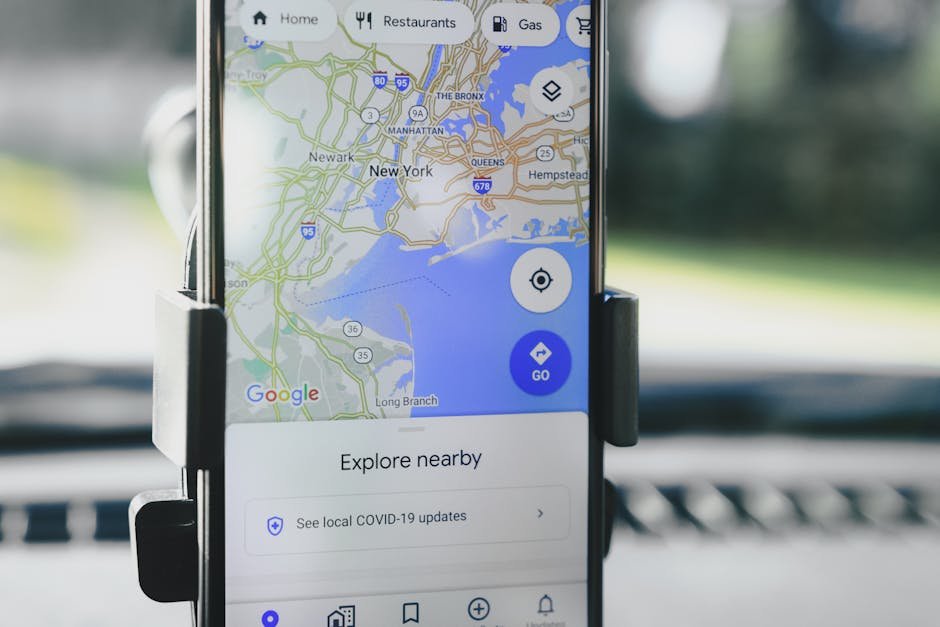
Google Maps looks like a perfect lead source. Search for "dentists in Austin" or "restaurants in Manchester" and you get names, locations, phone numbers, websites, ratings, opening hours, and categories. For agencies, freelancers, local service companies, and B2B sales teams, that feels like a ready-made prospecting database.
The trap is treating Google Maps web scraping lead generation as a CSV problem. More rows do not automatically mean more pipeline. Raw listings are duplicated, outdated, over-contacted, incomplete, and often missing the context that tells you whether a business is actually a good fit.
The better 2026 workflow is more disciplined: choose a compliant data source, collect only what you need, enrich records from business websites and other allowed sources, deduplicate aggressively, score fit, and run outreach with clear compliance guardrails. Google Maps can be the starting point, but it should not be the whole strategy.
This guide walks through that workflow from a builder's perspective, with the trade-offs a small team or agency needs to understand before automating anything.
Google Maps Is A Lead Source, Not A Lead Strategy
Google Maps is useful because it captures local business intent. A business with a public profile usually wants to be found. That makes Maps attractive for use cases like:
Web design agencies finding businesses with outdated sites
SEO consultants finding poorly optimized local profiles
Restaurant software vendors finding venues without online ordering
Cleaning, insurance, or payroll providers finding local SMBs by category
Recruiters or service teams mapping local offices in a niche
But a Maps result is only a lead candidate. It is not a qualified lead yet.
A qualified lead answers a more specific question: "Is this business likely to need what we sell, reachable through a valid channel, and worth contacting now?" The Maps listing alone rarely tells you that. You need the website, technology signals, business freshness, geography, niche, contact route, and a reason your outreach is relevant.
That is why successful Maps-based prospecting looks less like scraping and more like a pipeline:
Discover local businesses by query and location.
Normalize and deduplicate records.
Visit the business website, if available.
Enrich with contact and firmographic signals.
Score the business against a clear offer.
Route only qualified records into outreach.
Track replies, bounces, opt-outs, and conversions.
Think of Maps as the raw ore, not the finished product. The value is in refining it.
Before building that pipeline, you need to understand the difference between scraping Maps pages, using official APIs, and buying data from vendors.
Scraping, Places API, And Data Vendors: Know The Difference
People often use "Google Maps scraping" as a loose phrase for several different approaches. They are not the same.
Browser scraping means automating visits to Google Maps or Maps search pages and extracting visible data. This is popular because it can feel cheap and flexible, but it is brittle. Interfaces change, result limits appear, CAPTCHAs happen, and the compliance profile can be risky.
The official Places API is Google's supported route for programmatic place discovery. For example, Google's Places Text Search API lets developers search for places by query and location. This is cleaner technically, but it comes with pricing, quotas, attribution rules, and usage policies.
Data vendors and automation platforms sit in the middle. Tools like PhantomBuster's Google Maps Search Export, Apify Google Maps Scraper, and Outscraper lead generation package extraction and enrichment into a product. They can save build time, but you still own the downstream decisions about storage, outreach, consent, and data quality.
Here is the practical comparison:
Approach | Strength | Risk or trade-off |
|---|---|---|
Browser scraping | Flexible fields and low upfront cost | Brittle automation, blocked sessions, unclear policy fit |
Places API | Official, stable, documented | Cost, quota, storage, attribution, and display constraints |
Data vendor | Fast setup and enrichment options | Vendor dependency, data freshness, compliance review still needed |
Manual research | Highest context | Slow and hard to scale |
If you use Google Maps Platform, read the Places API policies and Maps Platform Terms before storing or reusing data. This is not legal advice, but it is a practical engineering rule: do not build a sales system on data rights you have not checked.
Once you choose a source, the next step is building a lead workflow that filters aggressively.
The Minimum Viable Lead Workflow: Search, Enrich, Dedupe, Score
A useful Google Maps lead-generation workflow has four core stages: search, enrich, dedupe, and score.
Search starts with specific query design. "Restaurants in New York" is too broad. "Independent sushi restaurants in Brooklyn without online ordering" is closer to a usable market segment. The tighter the search, the less cleanup you need later.
Useful search dimensions include:
Business category
City, neighborhood, or service area
Rating range
Review count
Website present or missing
Opening status
Business type or niche modifiers
Offer-specific signals, such as "emergency plumber" or "wedding photographer"
Enrichment turns a Maps record into a prospect profile. A minimal enrichment pass might fetch the website homepage, detect forms or contact pages, check whether the site has HTTPS, test mobile performance, inspect metadata, and find public business contact routes.
Deduplication prevents wasted outreach. Local businesses often appear under slightly different names, multiple locations, franchise pages, or duplicate domains. Normalize names, domains, phone numbers, and addresses before sending anything to a CRM.
Scoring decides whether a record is worth human or automated follow-up. For example, a web design agency might score a restaurant higher if it has:
A website but no SSL redirect
No mobile-friendly layout
No online ordering link
A very old copyright year
Poor page speed
Good review volume
Recent operating activity
Here is a simple scoring model:
# Score a local business lead for a web design offer
def score_business(profile):
    score = 0

    if profile["has_website"]:
        score += 10
    if not profile["has_https"]:
        score += 20
    if not profile["mobile_friendly"]:
        score += 25
    if profile["review_count"] >= 50:
        score += 15
    if profile["rating"] >= 4.0:
        score += 10
    if not profile["has_online_ordering"]:
        score += 15
    if profile["duplicate_domain"]:
        score -= 30

    return max(score, 0)
The exact formula matters less than the discipline. You are not trying to contact every business. You are trying to find businesses where your offer has a reason to exist.
That reason is what turns a scraped row into a real lead.
What Makes A Maps Lead Actually Qualified
A Maps lead is qualified when it has fit, reachability, and timing.
Fit means the business matches the offer. If you sell appointment booking software, a dentist with a website, strong review count, and no visible booking flow is more relevant than a random local store. If you sell local SEO, a business with many reviews but weak category coverage may be a better match than a brand-new business with no history.
Reachability means there is a legitimate contact path. A public business phone number may be enough for some sales motions. For email, be more careful. Generic addresses like info@ or contact forms may be safer than personal emails, depending on your jurisdiction and use case. If you enrich personal contact data, your privacy obligations increase.
Timing means there is a reason to contact now. Fresh reviews, new branches, website issues, hiring pages, recent menu changes, seasonal demand, and competitor gaps can all create a better reason than "I found you on Google Maps."
A good lead record should include:
Business name
Website domain
Category
Location
Public phone number
Public contact page or email, if available
Source URL or source query
Fit score
Reason for outreach
Date collected
Last verified date
Opt-out or suppression status
The "reason for outreach" field is especially important. It forces the system to justify why this business belongs in the campaign.
For example:
{
  "business": "Example Dental Studio",
  "category": "dentist",
  "city": "Austin",
  "website": "https://exampledental.test",
  "fit_score": 82,
  "reason": "High review count, no online booking link, slow mobile homepage",
  "source": "Google Maps query: dentists in Austin",
  "collected_at": "2026-05-08"
}
That record is far more useful than a 10,000-row export with names and phone numbers.
The next layer is compliance, because lead quality does not excuse sloppy outreach.
Compliance And Outreach Guardrails For 2026
Google Maps web scraping lead generation sits at the intersection of platform terms, privacy rules, and marketing laws. You need guardrails before you scale.
Start with source compliance. If you use Google's official APIs, follow Google's policies around attribution, storage, refreshing, and allowed use. If you use a vendor, review their terms and ask what data source, retention, and compliance model they rely on. If you scrape pages directly, understand that technical feasibility does not automatically mean contractual permission.
Then handle outreach compliance. In the United States, the FTC's CAN-SPAM compliance guide explains requirements for commercial email, including accurate header information, non-deceptive subject lines, identification as an ad where applicable, a valid physical postal address, and a clear opt-out mechanism.
In the UK, the ICO's business-to-business marketing guidance is a useful reference for B2B marketing, privacy, and opt-out expectations. Other jurisdictions have their own rules, and teams doing international outreach should review them before sending campaigns.
Practical guardrails:
Store the source and collection date for every record.
Keep a suppression list for opt-outs and bounced addresses.
Avoid personal email enrichment unless you have a clear lawful basis and process.
Do not imply a relationship that does not exist.
Do not hide who is contacting the business.
Send smaller, more relevant campaigns instead of blasting broad lists.
Re-verify stale records before reuse.
Keep human review for high-risk or high-value accounts.
Deliverability is part of compliance in practice. If your list is low quality, your bounce rate and spam complaints will rise, and your domain reputation will suffer. A smaller list with a clear reason for outreach will usually beat a larger scraped file.
With guardrails in place, you can choose a stack that matches your team's size.
A Practical Stack For Small Teams And Agencies
A small team does not need a giant sales intelligence platform to start. It needs a repeatable workflow with clear limits.
A lightweight stack might look like this:
Source discovery: Places API, approved vendor, or carefully reviewed manual research
Automation: n8n, Make, Zapier, Apify, or a small Python worker
Enrichment: website crawl, public contact page detection, email verification, and tech checks
Storage: Airtable, Google Sheets, Notion, Postgres, or a CRM
Scoring: spreadsheet formula, Python script, or CRM fields
Outreach: CRM sequence, email tool, phone workflow, or manual review queue
Compliance: suppression list, source logs, opt-out handling, and retention policy
For a more technical setup, split the pipeline into jobs:
discover_places -> normalize_records -> crawl_websites -> enrich_contacts
-> dedupe_accounts -> score_fit -> human_review -> crm_export
Each stage should be observable. Track how many records enter, how many are rejected, and why. If 5,000 Maps records become 300 qualified prospects, that is not failure. That is the point of filtering.
Here are the metrics worth watching:
Cost per collected record
Cost per qualified lead
Duplicate rate
Website coverage rate
Valid contact rate
Bounce rate
Positive reply rate
Opt-out rate
Meeting-booked rate
Revenue per source query or niche
These metrics will tell you whether the source is working. They will also tell you when a niche is burned out, a scraper is producing junk, or an outreach message is too generic.
For extraction at scale, compare the best web scraping APIs before building your own crawler. If you drive a browser directly, Playwright vs Puppeteer helps pick the tool.
Use Google Maps Web Scraping Lead Generation Carefully
Google Maps web scraping lead generation can work, but the useful version is not "export every business in a city and blast them." That approach creates noisy lists, compliance risk, and weak outreach.
The stronger version starts with a specific offer and a narrow market. It uses Maps or Places data to discover candidates, enriches them from allowed sources, deduplicates records, scores fit, and contacts only the businesses where there is a clear reason to reach out.
If you build it that way, Google Maps becomes one part of a serious local prospecting system. The goal is not the biggest spreadsheet. The goal is a smaller list of businesses where your message is relevant enough to deserve attention.