Grouping and Aggregating with Pandas in 2026: High-Performance Split-Apply-Combine
September 18, 2026
By hi3nCover Image

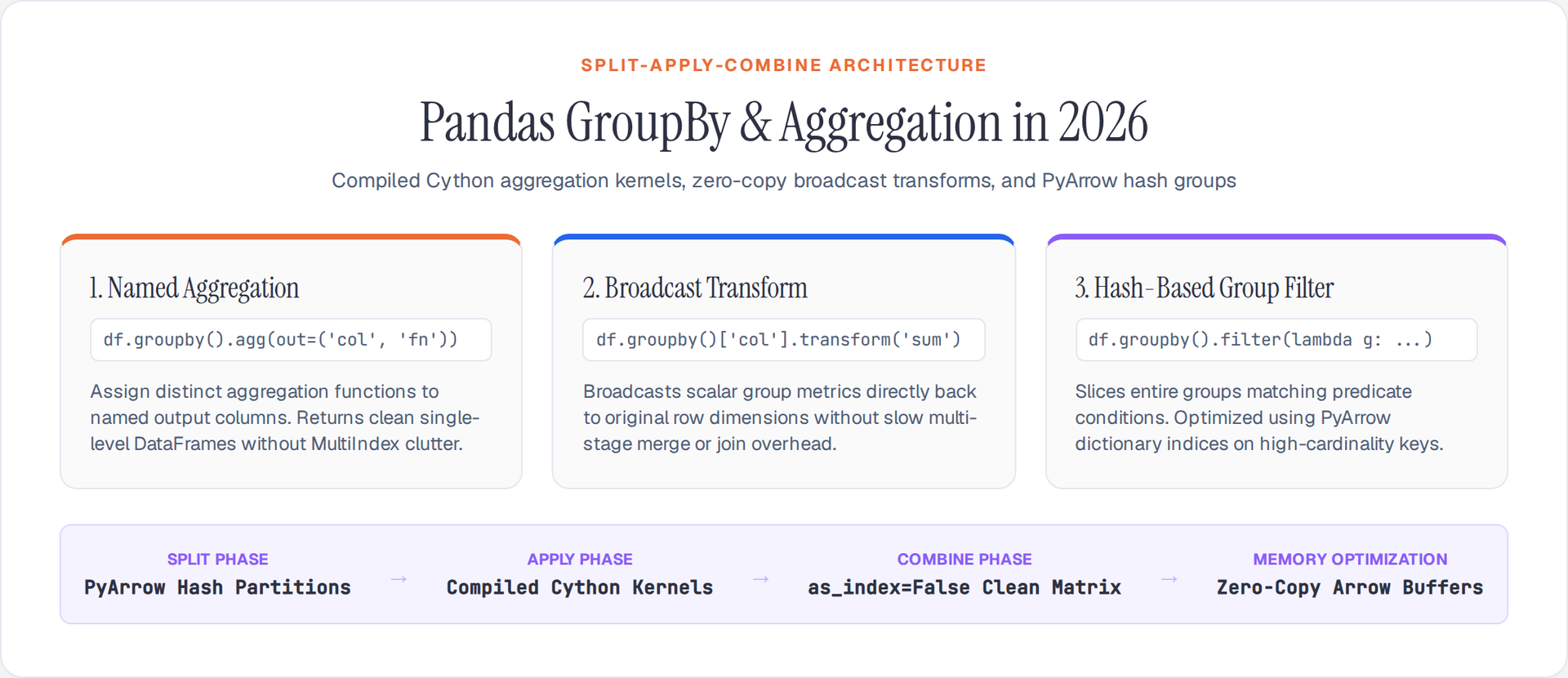
The Split-Apply-Combine pattern is the defining feature of pandas. Whether you're computing per-store revenue totals or per-user behavioral cohorts, groupby operations dictate whether your analysis takes milliseconds or minutes. In Pandas 2.x, the GroupBy engine runs on compiled Cython kernels and PyArrow hash tables, eliminating the Python-level iteration that made .apply() slow on large datasets.
Here are the 5 most powerful ways to group and aggregate your data using modern pandas.
1. Named Aggregation with .agg()
Named aggregation is the single most important GroupBy pattern. It assigns multiple aggregation functions to columns and names each output, producing a clean DataFrame without MultiIndex columns:
import pandas as pd
import numpy as np

# Sample transactional data
df = pd.DataFrame({
    'store': ['A', 'B', 'A', 'B', 'A'],
    'region': ['East', 'West', 'East', 'West', 'East'],
    'revenue': [100, 150, 200, 250, 300],
    'cost': [80, 120, 160, 200, 240]
}, dtype_backend="pyarrow")

# Named aggregation — clean, single-level columns
summary = df.groupby('store').agg(
    total_rev=('revenue', 'sum'),
    avg_margin=('revenue', lambda x: np.mean(x - 80)),
    max_cost=('cost', 'max'),
    txn_count=('store', 'count')
).reset_index()

print(summary)
Why it's powerful: Named aggregation returns a flat DataFrame (no MultiIndex columns), making immediate plotting or merging straightforward without .reset_index() gymnastics.
2. Multi-Column Hierarchical Grouping
Grouping by multiple columns creates a hierarchical index. In Pandas 2.x, setting as_index=False skips MultiIndex construction entirely — for groupings with millions of combinations, this saves significant memory and time:
# Hierarchical grouping without index
multi_group = df.groupby(
    ['region', 'store'],
    as_index=False  # Skip MultiIndex creation
).agg(
    total_rev=('revenue', 'sum'),
    avg_cost=('cost', 'mean')
)

print(multi_group)
Performance note: as_index=False avoids building a MultiIndex object internally. For wide groupings (hundreds of unique combinations), this can reduce memory usage by 30-50%.
3. High-Performance Transformations with .transform()
When you need to compute a group aggregate but retain the original DataFrame's shape (e.g., calculate percentage of group total), use .transform() instead of merging aggregates back:
# Broadcasting group metrics to original rows
df['store_total'] = df.groupby('store')['revenue'].transform('sum')

# Calculate percentage of store total
df['pct_of_store'] = df['revenue'] / df['store_total']

# Z-score normalization within group
df['normalized_rev'] = df.groupby('store')['revenue'].transform(
    lambda x: (x - x.mean()) / x.std()
)
Why it's powerful: .transform() broadcasts scalar aggregates back to the original index shape using Cython kernels. It replaces the slow merge() pattern for group-wise normalizations.
4. Conditional Aggregations and Rolling Windows
Combine GroupBy with rolling windows for time-series or sequence analysis partitioned by group:
df['date'] = pd.date_range('2026-01-01', periods=5)
df = df.sort_values(['store', 'date'])

# GroupBy with rolling windows — moving averages within group
df['rolling_revenue'] = (
    df.groupby('store')['revenue']
    .rolling(window=2, min_periods=1)
    .mean()
    .reset_index(level=0, drop=True)
)

# Cumulative sum within group — YTD totals
df['ytd_revenue'] = df.groupby('store')['revenue'].cumsum()
PyArrow optimization: Rolling operations on Int64[pyarrow] columns use contiguous Arrow buffers rather than boxed Python integers — 2-5x faster on million-row DataFrames.
5. Optimized Group Filtering
Filter groups based on aggregate properties without iterating over groups in Python:
# Keep only stores where total revenue > 300
high_performing = df.groupby('store').filter(
    lambda g: g['revenue'].sum() > 300
)
Performance tip: For massive datasets, .filter() with lambda functions executes Python code per group. When possible, compute the aggregate explicitly, filter the aggregate DataFrame, and inner-merge it back — this approach is 5-10x faster for large DataFrames.
The Pandas 2.x Advantage
Grouping and aggregating data with PyArrow dtypes and Cython kernels eliminates Python overhead entirely. Avoid .apply(custom_func) unless absolutely necessary — it executes a Python loop for every group. By mastering .agg(), .transform(), and PyArrow arrays, your data aggregation pipelines easily handle enterprise-scale datasets without memory blowouts or slow row-by-row processing.
Author

Author