Web Scraping with JavaScript and Node.js in 2026
Cover Image
JavaScript is the language of the web — which makes it a natural fit for scraping it. Node.js gives you async I/O that can process dozens of pages concurrently, a library ecosystem covering everything from static HTML parsing to full browser automation, and the same language your frontend devs already know.
This guide covers the complete 2026 stack: modern HTTP clients, HTML parsers, headless browsers, and production patterns that hold up beyond the tutorial stage.
Setting Up Your Environment
Node.js 22+ is the baseline. It ships with a native fetch API, AbortController, and built-in test runner. No need to install axios for basic HTTP work anymore.
# Verify Node.js version
node --version  # Should be 22+

# Initialize project
mkdir scraper && cd scraper
npm init -y

# Install core libraries
npm install cheerio playwright
npm install --save-dev @types/node
For TypeScript projects (recommended for larger scraping pipelines):
npm install --save-dev typescript tsx @types/cheerio
npx tsc --init --target ES2022 --module NodeNext
Static Sites: Native fetch + Cheerio
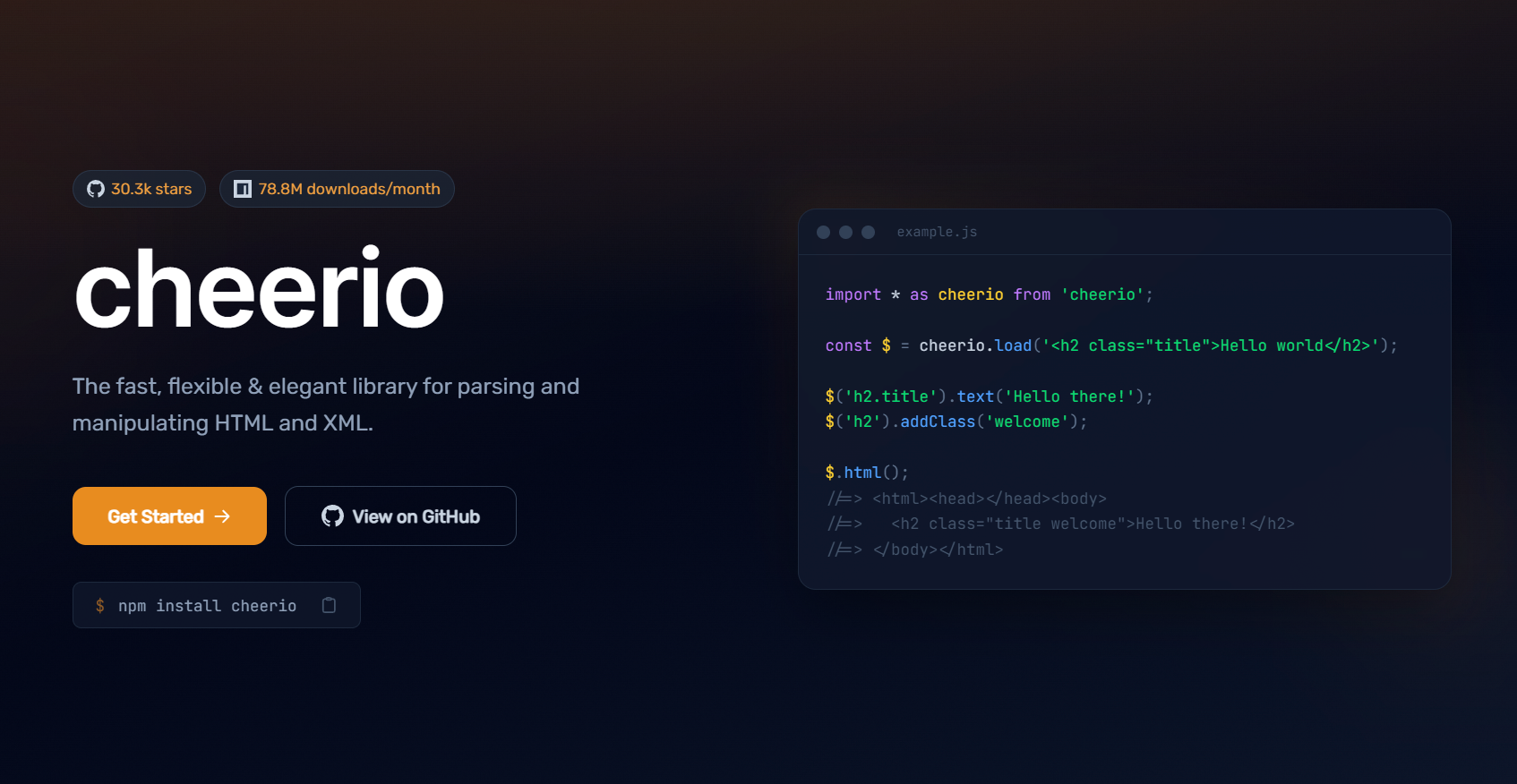
For sites that render full HTML on the server, native fetch plus Cheerio covers 80% of scraping tasks. No extra dependencies, fast execution.
import * as cheerio from 'cheerio';

async function scrapeProductListings(url) {
  const response = await fetch(url, {
    headers: {
      'User-Agent': 'Mozilla/5.0 (Windows NT 10.0; Win64; x64) AppleWebKit/537.36',
      'Accept': 'text/html,application/xhtml+xml,application/xml;q=0.9,*/*;q=0.8',
      'Accept-Language': 'en-US,en;q=0.5',
    },
    signal: AbortSignal.timeout(15_000),  // 15 second timeout
  });

  if (!response.ok) {
    throw new Error(`HTTP ${response.status}: ${url}`);
  }

  const html = await response.text();
  const $ = cheerio.load(html);

  const products = [];

  $('.product-card').each((_, el) => {
    products.push({
      title: $(el).find('h3.product-title').text().trim(),
      price: parseFloat($(el).find('.price').text().replace(/[^0-9.]/g, '')),
      url: new URL($(el).find('a').attr('href'), url).href,
      image: $(el).find('img').attr('src'),
    });
  });

  return products;
}

const results = await scrapeProductListings('https://example.com/products');
console.log(`Found ${results.length} products`);
Cheerio selector reference — the selectors you'll use most:
| Task | Selector |
|---|---|
| Find by class | $('.class-name') |
| Find by ID | $('#element-id') |
| Find by attribute | $('[data-sku]') |
| Get text content | $(el).text().trim() |
| Get attribute value | $(el).attr('href') |
| Find child element | $(el).find('.child') |
| Get next sibling | $(el).next() |
| Filter results | $('li').filter(':contains("sale")') |
Concurrent Requests with Rate Control
Scraping one page at a time wastes your time. Scraping without rate limits gets you blocked. The pattern below processes pages in controlled batches:
async function scrapeWithConcurrency(urls, concurrency = 5) {
  const results = [];
  const queue = [...urls];
  const inFlight = new Set();

  async function worker() {
    while (queue.length > 0) {
      const url = queue.shift();
      if (!url) break;

      try {
        // Randomize delay to avoid detection (500ms–1500ms)
        await sleep(500 + Math.random() * 1000);
        const data = await scrapeProductListings(url);
        results.push(...data);
        console.log(`✓ ${url} → ${data.length} items`);
      } catch (error) {
        console.error(`✗ ${url} → ${error.message}`);
      }
    }
  }

  const sleep = (ms) => new Promise(resolve => setTimeout(resolve, ms));

  // Run N workers concurrently
  await Promise.all(
    Array.from({ length: concurrency }, () => worker())
  );

  return results;
}

// Process 100 URLs with 5 concurrent requests
const allProducts = await scrapeWithConcurrency(productUrls, 5);
Dynamic Sites: Playwright for JavaScript-Rendered Content
Cheerio only sees the initial HTML. Single-page applications populate content via JavaScript after the page loads. Playwright drives a real browser to execute that JavaScript.
import { chromium } from 'playwright';

async function scrapeSPA(url) {
  const browser = await chromium.launch({ headless: true });
  const context = await browser.newContext({
    userAgent: 'Mozilla/5.0 (Windows NT 10.0; Win64; x64) AppleWebKit/537.36',
    viewport: { width: 1920, height: 1080 },
    // Block images and fonts to speed up loading
    bypassCSP: true,
  });

  const page = await context.newPage();

  // Block unnecessary resources
  await page.route('**/*.{png,jpg,jpeg,gif,webp,svg,woff,woff2,ttf}', route => route.abort());

  await page.goto(url, { waitUntil: 'networkidle', timeout: 30_000 });

  // Wait for dynamic content to render
  await page.waitForSelector('.results-container', { timeout: 10_000 });

  // Extract data using browser-side JavaScript
  const data = await page.evaluate(() => {
    return Array.from(document.querySelectorAll('.result-item')).map(el => ({
      title: el.querySelector('.title')?.textContent?.trim(),
      description: el.querySelector('.description')?.textContent?.trim(),
      link: el.querySelector('a')?.href,
    }));
  });

  await browser.close();
  return data;
}
Intercepting XHR/Fetch Responses
Many SPAs load data via API calls. Intercepting those directly is faster and more reliable than parsing rendered HTML:
async function interceptApiResponse(url, apiPattern) {
  const browser = await chromium.launch({ headless: true });
  const page = await browser.newPage();

  // Collect matching API responses
  const apiData = [];
  page.on('response', async (response) => {
    if (response.url().includes(apiPattern) && response.status() === 200) {
      try {
        const json = await response.json();
        apiData.push(json);
      } catch {}
    }
  });

  await page.goto(url, { waitUntil: 'networkidle' });
  await browser.close();

  return apiData;
}

// Intercept product API calls on a retail site
const data = await interceptApiResponse(
  'https://example.com/search?q=laptop',
  '/api/v2/products'
);
This approach returns the same structured JSON the site's own app receives — no HTML parsing required.
Handling Anti-Bot Systems
Modern anti-bot systems check more than your IP. TLS fingerprint, HTTP/2 header order, JavaScript execution behavior — all used to detect automated clients.
Signals detected by Cloudflare, Akamai, and PerimeterX:
- Headless browser detection via
navigator.webdriverproperty - TLS cipher suite order (Chromium has a distinct fingerprint)
- Canvas fingerprint consistency
- Timing patterns (requests too fast, too regular)
- Missing browser APIs (service workers, WebGL)
Mitigation strategies in 2026:
// Use Playwright with stealth configuration
import { chromium } from 'playwright';
import { addExtra } from 'playwright-extra';
import StealthPlugin from 'puppeteer-extra-plugin-stealth';

const playwrightWithStealth = addExtra(chromium);
playwrightWithStealth.use(StealthPlugin());

const browser = await playwrightWithStealth.launch({ headless: true });
const page = await browser.newPage();

// Override navigator.webdriver
await page.addInitScript(() => {
  Object.defineProperty(navigator, 'webdriver', { get: () => false });
});
For heavily protected targets (Cloudflare Turnstile, enterprise anti-bot), local browser automation usually isn't enough. Use a browser cloud API like Bright Data's Scraping Browser, which manages fingerprinting at the infrastructure level.
Structured Output with Zod Validation
Raw scraped data has errors. Prices that can't parse, missing fields, unexpected formats. Validate at the extraction point:
import { z } from 'zod';

const ProductSchema = z.object({
  title: z.string().min(1),
  price: z.number().positive(),
  url: z.string().url(),
  inStock: z.boolean().default(true),
  rating: z.number().min(0).max(5).optional(),
});

function parseProduct(raw) {
  const result = ProductSchema.safeParse(raw);
  if (!result.success) {
    // Log schema failures, don't crash the scraper
    console.warn('Validation failed:', result.error.flatten());
    return null;
  }
  return result.data;
}

// Filter out invalid records instead of crashing
const validProducts = rawProducts.map(parseProduct).filter(Boolean);
console.log(`Valid: ${validProducts.length} / Total: ${rawProducts.length}`);
Saving Data: JSON Lines and CSV
For most scraping projects, files beat databases. JSON Lines (.jsonl) is the best format for appending scraped data incrementally:
import { createWriteStream } from 'fs';

const stream = createWriteStream('products.jsonl', { flags: 'a' }); // append mode

function appendRecord(record) {
  stream.write(JSON.stringify(record) + '\n');
}

// Append each product as scraped
for (const product of products) {
  appendRecord(product);
}

stream.end();
For CSV output, use the csv-stringify package — manual CSV escaping breaks on edge cases:
import { stringify } from 'csv-stringify/sync';
import { writeFileSync } from 'fs';

const csv = stringify(products, {
  header: true,
  columns: ['title', 'price', 'url', 'inStock'],
});

writeFileSync('products.csv', csv, 'utf-8');
Retry Logic and Error Recovery
Network failures happen. Build retry into every production scraper:
async function fetchWithRetry(url, options = {}, maxRetries = 3) {
  const delays = [1000, 3000, 10000]; // exponential backoff

  for (let attempt = 0; attempt <= maxRetries; attempt++) {
    try {
      const response = await fetch(url, {
        ...options,
        signal: AbortSignal.timeout(15_000),
      });

      // Retry on rate limit
      if (response.status === 429) {
        const retryAfter = parseInt(response.headers.get('Retry-After') || '60', 10);
        console.log(`Rate limited. Waiting ${retryAfter}s...`);
        await new Promise(r => setTimeout(r, retryAfter * 1000));
        continue;
      }

      if (!response.ok) throw new Error(`HTTP ${response.status}`);
      return response;

    } catch (error) {
      if (attempt === maxRetries) throw error;
      console.log(`Attempt ${attempt + 1} failed: ${error.message}. Retrying in ${delays[attempt]}ms...`);
      await new Promise(r => setTimeout(r, delays[attempt]));
    }
  }
}
Complete Working Example: Product Price Monitor
Putting it all together — a price monitor that scrapes a product page and alerts when price drops below a threshold:
import * as cheerio from 'cheerio';
import { writeFileSync, readFileSync, existsSync } from 'fs';

const PRODUCTS_FILE = 'price-history.jsonl';
const ALERT_THRESHOLD = 0.9; // Alert when price drops 10%+

async function monitorPrice(product) {
  const response = await fetch(product.url, {
    headers: {
      'User-Agent': 'Mozilla/5.0 (Windows NT 10.0; Win64; x64) AppleWebKit/537.36',
    },
    signal: AbortSignal.timeout(15_000),
  });

  const $ = cheerio.load(await response.text());

  const priceText = $(product.selector).first().text().trim();
  const currentPrice = parseFloat(priceText.replace(/[^0-9.]/g, ''));

  if (isNaN(currentPrice)) {
    console.error(`Could not parse price at ${product.url}`);
    return;
  }

  const record = {
    url: product.url,
    name: product.name,
    price: currentPrice,
    timestamp: new Date().toISOString(),
  };

  // Append to history
  const stream = require('fs').createWriteStream(PRODUCTS_FILE, { flags: 'a' });
  stream.write(JSON.stringify(record) + '\n');
  stream.end();

  // Check if price dropped significantly
  if (product.lastPrice && currentPrice < product.lastPrice * ALERT_THRESHOLD) {
    const drop = ((product.lastPrice - currentPrice) / product.lastPrice * 100).toFixed(1);
    console.log(`🔻 PRICE DROP: ${product.name} fell ${drop}% → $${currentPrice} (was $${product.lastPrice})`);
  } else {
    console.log(`${product.name}: $${currentPrice}`);
  }

  return currentPrice;
}

const watchList = [
  { name: 'MacBook Air M3', url: 'https://example.com/macbook-air', selector: '.product-price', lastPrice: 1299 },
  { name: 'Sony WH-1000XM6', url: 'https://example.com/sony-headphones', selector: '.current-price', lastPrice: 349 },
];

for (const product of watchList) {
  await monitorPrice(product);
  await new Promise(r => setTimeout(r, 1000)); // 1s between requests
}
When to Switch from Cheerio to Playwright
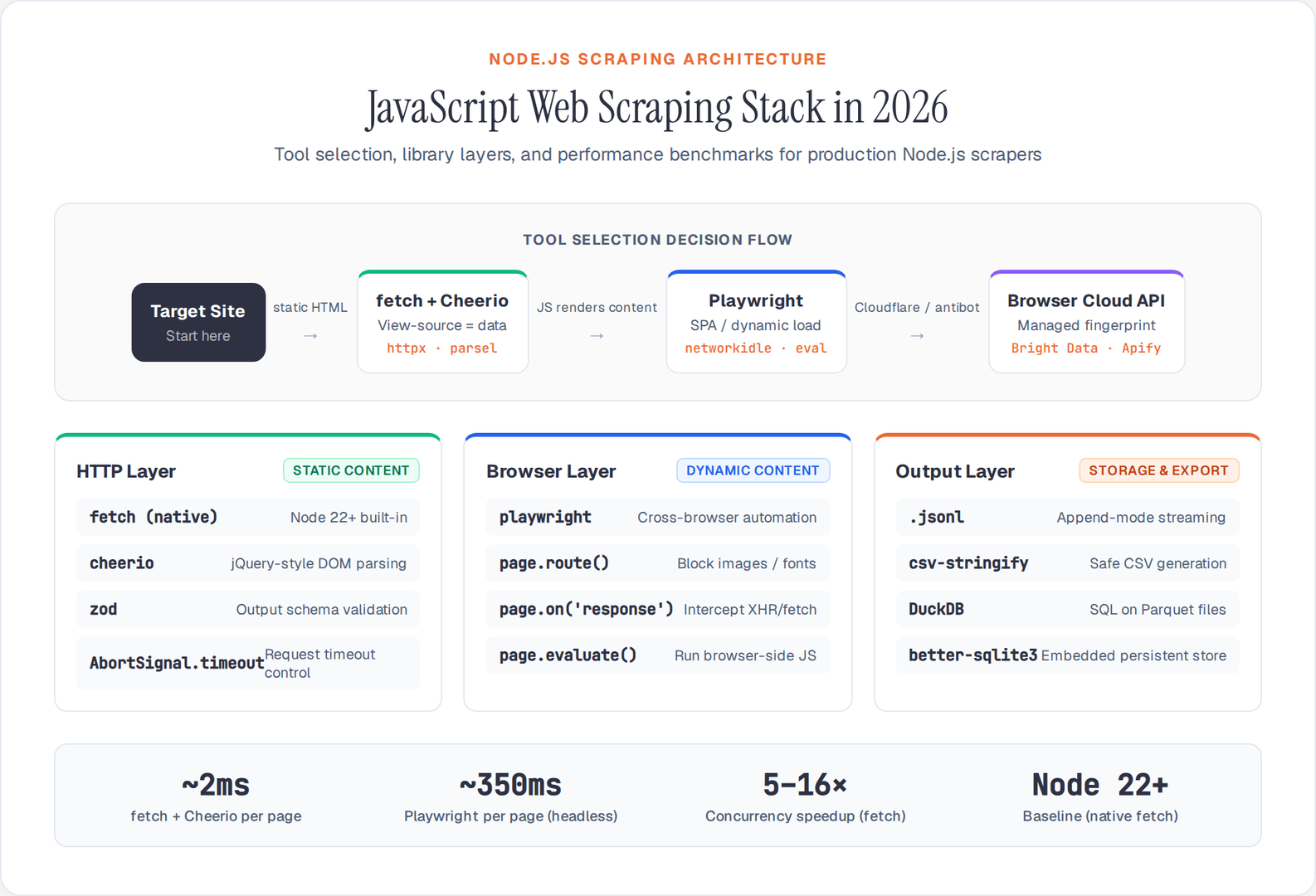
Use fetch + Cheerio when:
- The full HTML is present in the initial response (check
view-source:) - You need high speed and low resource usage
- Pages don't require login or session state
Switch to Playwright when:
- Content loads after the initial HTML (check the Network tab for XHR calls)
- You need to interact with forms, dropdowns, or pagination
- The site requires a real login session
- Bot detection blocks basic HTTP requests
A quick way to check: open the page, disable JavaScript in DevTools, and reload. If the data you need disappears, you need Playwright.
Conclusion
JavaScript and Node.js give you a complete scraping stack in 2026 — from lightweight Cheerio selectors to full Playwright browser automation. The native fetch API and modern async patterns mean you need fewer dependencies than ever.
Match your tool to the target: fetch + Cheerio for static HTML, Playwright for JavaScript-rendered pages, browser cloud APIs for bot-protected targets. Profile your scraper against the Network tab before picking an approach — intercepting the underlying API call is almost always faster than parsing the rendered page.